Canva logo - Image Generation AI tool

Canva

AI ToolFreemium

Canva is a visual design tool for creating and editing presentations, videos, and other designs. It includes templates and media assets, with plan-dependent tools for editing, collaboration, and brand management.

{designai-designgraphicstemplatesvisual-contentbrandingmarketing-designpresentations}

Last updated:

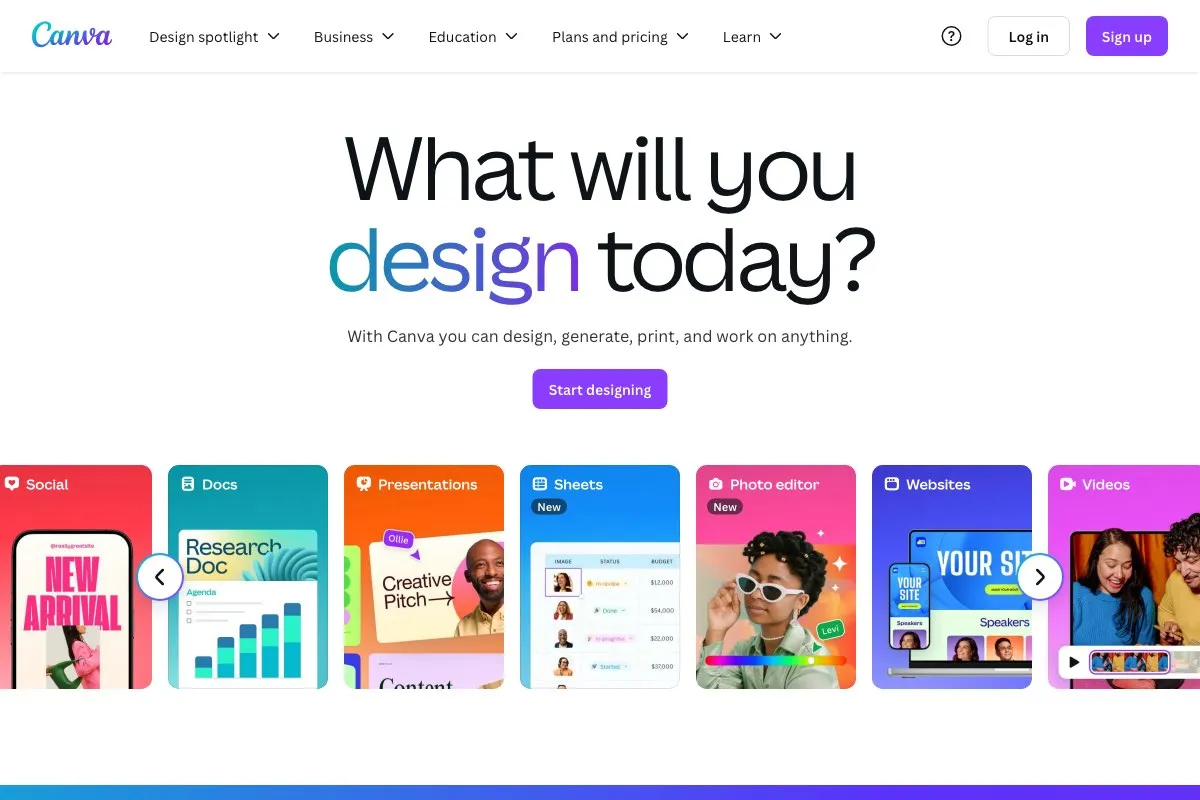
Canva screenshot - Image Generation interface and features overview

About Canva

Canva is a visual design tool for people who need to create presentations, videos, and other visual designs. It brings an editor, templates, and media assets together, so individuals and teams can make materials for their work without assembling each design element separately. Different plans add editing tools, brand controls, collaboration, administration, and storage. The available features and allowances vary by plan, so the right fit depends on whether you are working alone, with a team, or within an organization.

What can Canva do?

Canva supports creating and editing presentations, videos, and visual designs. The listed resources include templates, stock photos, graphics, fonts, 3D elements, video, and audio. The Free plan includes a drag-and-drop editor and more than 1,000 design types, while asset counts differ by plan.

Paid plans add tools and workflows for different needs. Pro includes resizing, translation, background removal, and social content scheduling. Business adds team collaboration and administration. Canva AI 2.0 was announced as a research preview with conversational design and editable layered output; its announcement also describes connectors, scheduling, web research, brand intelligence, Sheets AI, and Canva Code workflows.

  • Use custom dimensions and templates to start a visual design.
  • Create and edit presentations and videos.
  • Use plan-dependent stock photos, graphics, fonts, 3D elements, video, and audio.
  • Use Pro tools for resizing, translation, and background removal.
  • Work with local image files in Canva Offline and sync changes after reconnecting.

Who is Canva best for?

Canva may suit individuals making visual materials, such as presentations and videos, as well as teams that need shared work and administration tools. Pro is aimed at individuals seeking premium assets and editing tools. Business offers collaboration, administration, and brand management for teams. Organizations needing controls such as SSO, SCIM provisioning, custom apps, or multi-team management can consider Enterprise. Eligible K–12 communities, nonprofits, and institutions may have separate offerings, subject to their eligibility and licensing terms.

Canva pricing in brief

Canva has a free individual plan, paid individual and business plans, and quote-based options for enterprise and institution-specific use. Eligible K–12 educators, schools, and students can use Canva Education at no cost, while eligible nonprofits can access most premium features for free. Eligibility and offer terms apply. Business pricing depends on location and the number of people on the plan.

Limitations to know about Canva

Features, asset counts, storage, and AI allowances vary by plan, and AI usage has limits. Business pricing varies by location and team size; Enterprise and Campus require contacting sales for quotes, and Campus also depends on an institution-specific license threshold. Nonprofit eligibility and terms apply, while exact seat limits were not verified. Canva Teams is no longer available for new sign-ups or upgrades; Canva directs users to Pro or Business. Third-party apps may have limited credits, and Canva Support says it cannot provide credits or refunds for those apps.

Alternatives to Canva

For a different approach to visual creation, Adobe Firefly is a related option focused on creating images, while Microsoft Designer is another tool in the visual-design space. Ideogram is an additional image-creation alternative. These tools may fit readers comparing options for making visual content; their features and plans should be checked separately before choosing.

Visit Website

Disclosure: Some links are affiliate links. We may earn a commission. Learn more.

Key Features

Free includes a drag-and-drop editor and more than 1,000 design types.

Create presentations, videos, and visual designs using templates, stock media, graphics, fonts, and audio.

Pro adds tools for resizing, translation, and background removal, plus social content scheduling.

Business includes team collaboration, administration, brand management, and a larger AI allowance than Free.

Enterprise offers SSO, SCIM provisioning, custom apps, and multi-team management.

Canva AI 2.0 was announced as a research preview with conversational design and editable layered output.

Canva Offline supports essential editing with local image files; changes sync when reconnected.

Pricing Plans

Free

US$ 0/year for one person

  • 1,000+ design types and a drag-and-drop editor for creating designs.
  • 1.6M+ templates and 4.7M+ photos, videos, graphics, and audio.
  • One Brand Kit, limited to three colors, and custom design dimensions.
  • A no-cost option for individuals who need core design tools and listed assets.

Pro

US$ 144/year for one person

  • 3.6M+ templates and 141M+ premium photos, videos, graphics, and audio.
  • Five Brand Kits, social content scheduling, and AI tools for resizing, translation, and background removal.
  • 100GB of cloud storage and a higher AI allowance than Free.
  • For individuals seeking premium assets and editing tools.

Business

US$ 250/year per person

  • Team collaboration and administration, plus brand management tools.
  • 3.6M+ templates, 141M+ premium assets, and access to Flourish.
  • 1TB of cloud storage, priority support, and a dedicated success manager.
  • 20 times the Free AI allowance; pricing depends on location and team size.
  • For teams and businesses needing collaboration and administration.

Enterprise

Price varies

  • Enterprise-level security and controls, with SSO and SCIM provisioning.
  • Custom apps and up to 1,000 Brand Kits.
  • Tiered approvals and multi-team management.
  • Contact sales for a quote; suited to organizations needing enterprise controls.

Education

Price varies

  • Canva Education is 100% free for eligible K–12 educators, schools, and students.
  • Includes dedicated features for K–12 teachers and students.
  • Eligibility applies; suited to qualifying K–12 education communities.

Nonprofits

Price varies

  • Eligible nonprofits can access most premium features for free.
  • Eligibility applies; exact offer terms and seat limits were not verified.
  • For qualifying nonprofit organizations seeking premium Canva features.

Campus

Price varies

  • Enterprise access for faculty and staff, with premium Canva access for students after the institution meets a license threshold.
  • Includes 1,000 Brand Kits, SSO, and centralized administration controls.
  • Quote depends on institution size; suited to eligible institutions.

Pricing information last updated: October 17, 2026

Visit Website

Disclosure: Some links are affiliate links. We may earn a commission. Learn more.

FAQs

What can I create with Canva?

Canva supports creating and editing presentations, videos, and visual designs. Its listed resources include templates, stock photos, graphics, fonts, 3D elements, video, and audio.

What does the Free plan include?

The Free plan includes more than 1,000 design types, 1.6M+ templates, 4.7M+ photos, videos, graphics, and audio, one Brand Kit limited to three colors, and custom design dimensions.

How do Pro and Business differ?

Pro includes premium assets, five Brand Kits, AI tools such as resizing, translation, and background removal, social content scheduling, and 100GB of storage. Business adds team collaboration and administration, brand management, a higher AI allowance, and 1TB of storage.

Is Canva free for schools or nonprofits?

Canva Education is 100% free for eligible K–12 educators, schools, and students. Eligible nonprofits can access most premium features for free. Eligibility applies, and nonprofit seat limits and exact terms were not verified.

Does Canva work offline?

Canva Offline supports essential editing and work with local image files without an internet connection. Changes sync when you reconnect.

Can new users sign up for Canva Teams?

Canva Teams is no longer available for new sign-ups or upgrades. Canva directs users to Pro or Business instead.